The invoice editor
Lines, service period, payment terms and the live checklist, and which fields the tax treatment controls.
The editor is where a draft becomes a document. It saves as you go; there is no separate save step.
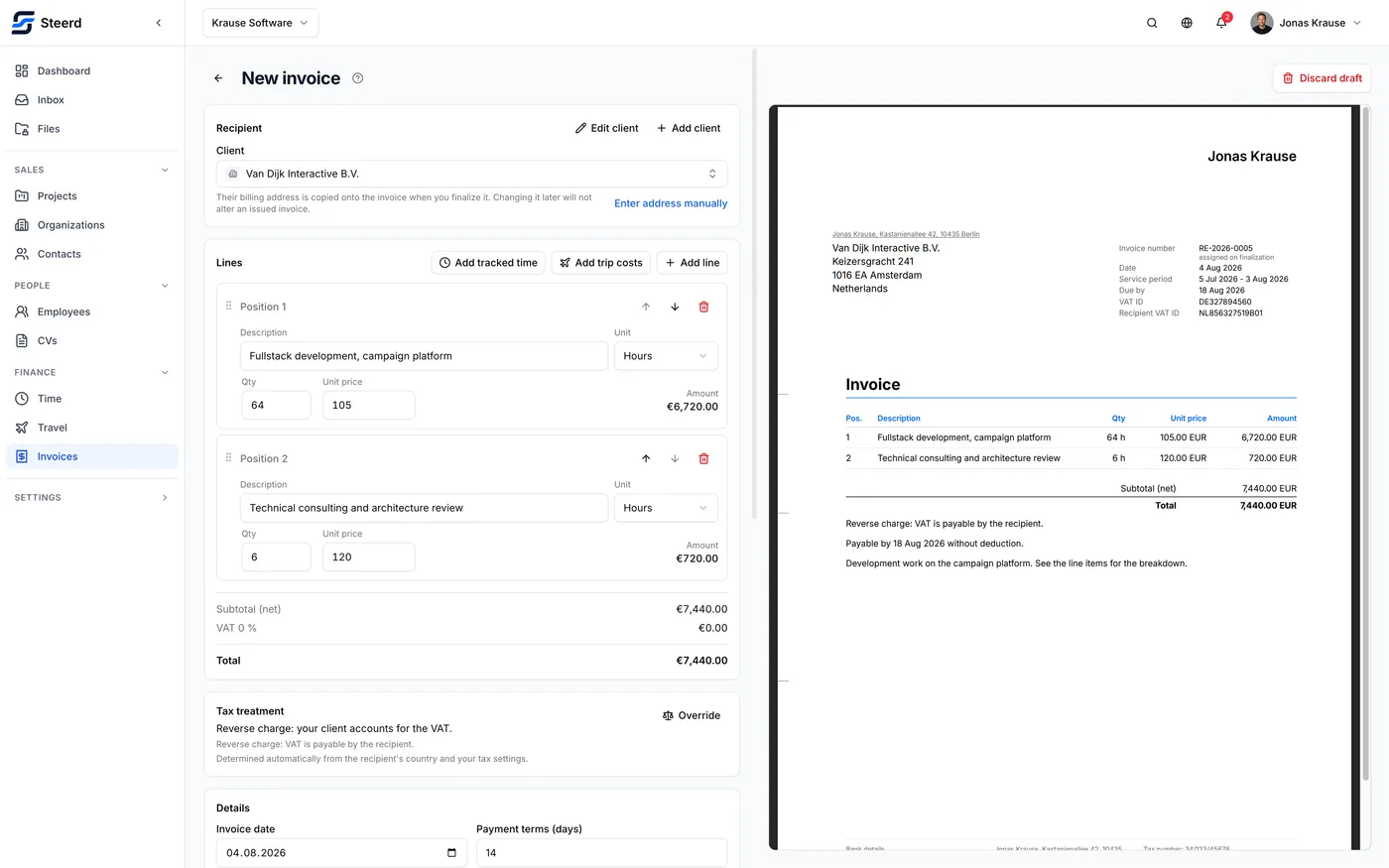
Lines
Each line is a description, a quantity, a unit price, and a tax category. The line total is computed, never typed.
Which tax categories you may use is decided by the tax treatment, not by you. On a domestic German invoice you get 19% and 7%. Under reverse charge every line is 0% in category AE, and Steerd will refuse to issue an invoice whose lines contradict its treatment. If a rate you expect is missing, the treatment is the thing to look at.
Lines pulled from time entries or trips arrive prefilled and are ordinary lines afterwards: you can edit the text, reorder them, or delete them.
The service period
When the work happened, as opposed to when you are billing for it. German invoices generally need it, and the checklist asks for it.
Lines imported from tracked time set it for you from the dates of the entries.
Payment terms
A number of days. The due date is the issue date plus those days, and it is what makes an invoice show as overdue later. See Payment and due dates.
Language
An invoice carries its own language, independent of the language you use the app in. A German invoice from an English interface is normal and expected. Set it here, before issuing, because it is baked into the PDF.
The checklist, while you work
The panel listing what is still missing updates as you type. It is not a final validation step that ambushes you at the end; it is a live view of whether this document could legally be issued right now. The checklist explains each item.
What you cannot do here
- Set the invoice number. It is assigned at issue.
- Edit an issued invoice. The editor is for drafts only.