Overview
What an invoice is in Steerd, the four states it can be in, and the one transition you cannot undo.
An invoice in Steerd goes through exactly two lives. As a draft it is a working document you can change freely. Once issued it is a legal record: it carries a number, it is locked, and it can only be corrected with a second document, never edited.
Almost everything worth knowing follows from that split.
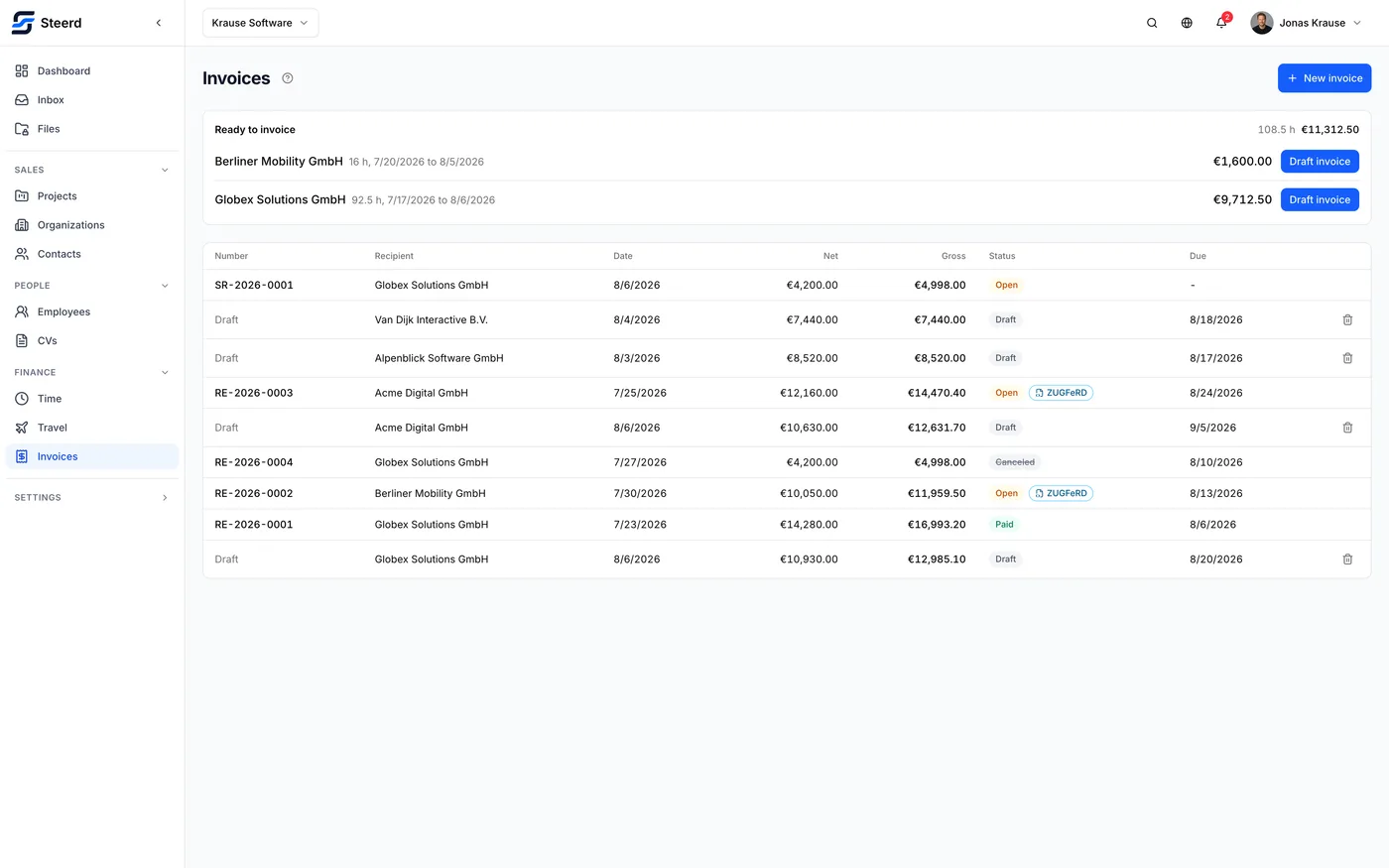
The states
| State | What it means |
|---|---|
| Draft | Not yet a real invoice. No number, no legal weight, editable, deletable. |
| Open | Issued and waiting to be paid. |
| Paid | You marked it paid. |
| Canceled | Withdrawn by a correction. |
Overdue is not a fifth state. It is what Steerd calls an invoice that is still open after its due date has passed. Nothing changes in the document; the list simply shows it in red so it stops being invisible.
The one-way door
Issuing an invoice assigns its number and locks the document. There is no unlock, and this is deliberate rather than a limitation: an invoice number is a sequential legal claim, and software that lets you quietly rewrite a document after issuing it is software your tax office does not want you using.
If something is wrong after issuing, you correct it, which produces a second document.
Where invoices come from
You rarely type an invoice from nothing. The usual paths are:
- From tracked time. Log hours against a project, then pull the unbilled ones onto an invoice. See Adding tracked time.
- From travel expenses. Approved trips can be billed on to the client. See Adding travel expenses.
- By hand, for anything that is neither.
All three end at the same editor, and one invoice can mix all three.
Sending and chasing
It can send the invoice, from your own connected mailbox, with the documents attached. And once an invoice is overdue it can draft a payment reminder at one of five levels. Both are manual: you read the text and press send. See Sending an invoice.
What Steerd does not do
It does not chase payment on its own. Nothing is sent on a schedule, marking an invoice paid is something you do, and nothing reminds you that a reminder is due.
It does not know whether the mail arrived. There is no read receipt and no client portal, and a bounce lands in your own mailbox.
Where to go next
- Creating an invoice
- Tax, VAT and reverse charge, which decides more about your invoice than any other setting
- e-Invoicing, if you need XRechnung or ZUGFeRD