Issuing, downloading and sending it yourself
What issuing an invoice actually does, what you get afterwards, and how to get it to your client.
Issue invoice is the point of no return. Steerd asks you to confirm, because what happens next cannot be undone:
Issuing assigns the next invoice number and locks this document for good. It can only be corrected afterwards, never edited.
What happens at that moment
- The next invoice number is assigned.
- The document is sealed. Your company details, the client's details and the tax treatment are snapshotted onto the invoice, so it keeps saying what it said today even if you move offices or the client is renamed next year.
- The PDF is generated.
- If a timesheet was requested, that PDF is generated too.
- If this is an e-invoice, the machine-readable file is generated and attached.
- The status becomes Open.
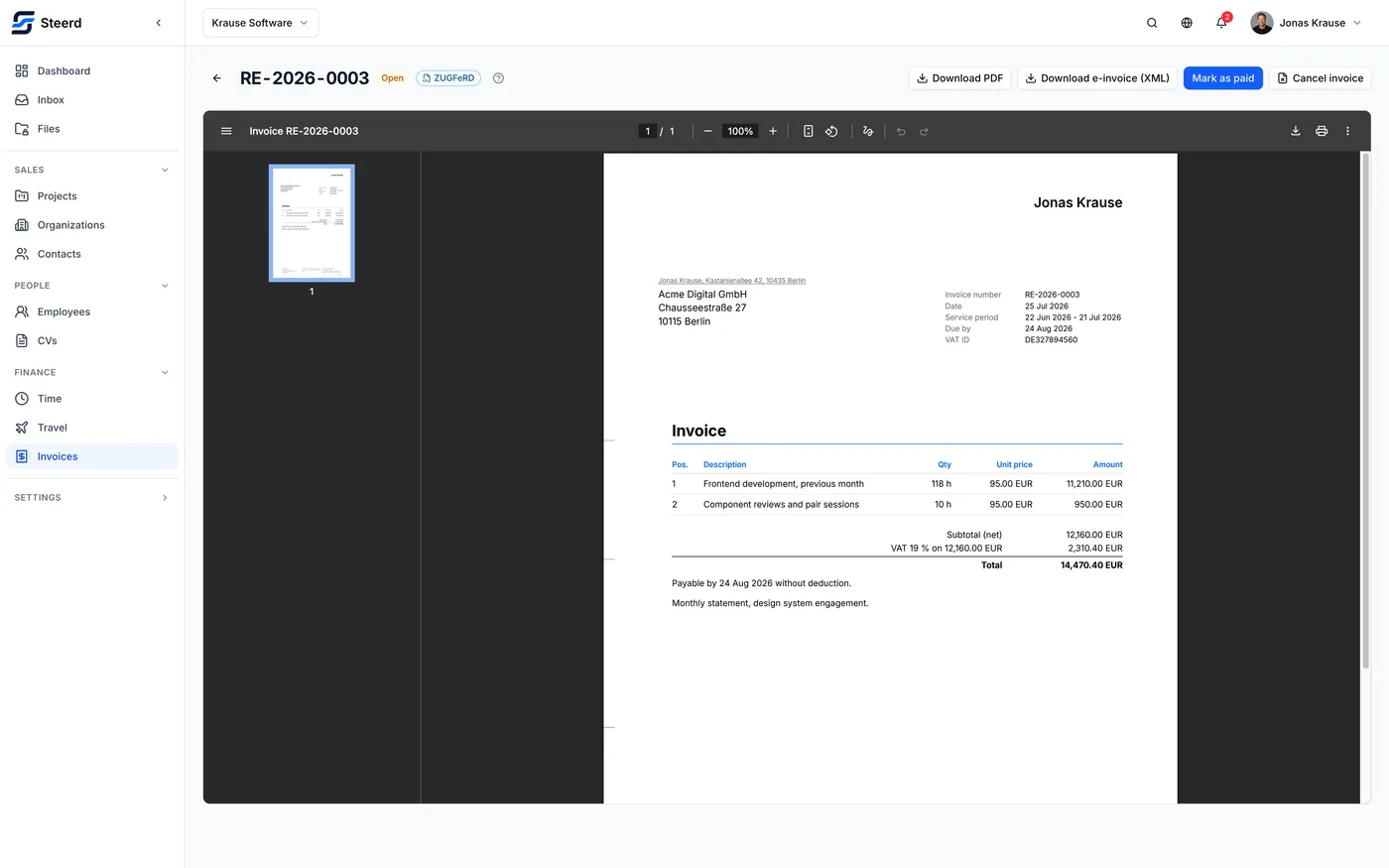
What you get
From the issued invoice you can download:
- the invoice PDF,
- the timesheet, if you attached one,
- the e-invoice file, if one was produced.
They are also filed in Files, where they are marked as generated documents and cannot be edited or deleted like an ordinary upload.
Getting it to your client
Right after issuing, Steerd asks what you want to do next, and both answers stay available on the invoice for as long as it exists:
- Download the PDF and send it however you already send invoices.
- Send it from Steerd, over your own connected mailbox, with the documents attached. See Sending an invoice.
There is no client portal and no read receipt. Steerd records what it sent and to which addresses; whether the mail was opened is not something it can know. See Payment and due dates.
If something is wrong afterwards
There is no unlock and no edit. Use a correction, which is a second document that withdraws the first.